I Built a Break Reminder Because I Forgot How to Blink

The story of building AFK - a minimal macOS break reminder for developers who treat hydration as optional
"I'll just finish this one function..." - Me, 4 hours ago, now with dried-out eyes and a spine shaped like a question mark.
The Problem Nobody Talks About
Here's the thing about being a developer: we're really good at solving other people's problems. Building systems that scale. Optimizing queries. Debugging that one weird edge case at 2 AM.
But ask us to stand up and drink water? Apparently that requires a PhD in self-care we never obtained.
I realized I had a problem when I looked up from my monitor after what felt like "a few minutes" of coding, only to discover that:
- It was dark outside (it was morning when I started)
- My water bottle was still full
- My eyes felt like sandpaper wrapped in regret
Why Existing Solutions Suck
"Just use an existing break reminder app," you say. I tried. Here's what I found:
The Bloated Ones: Apps that want to track my productivity, sync with 47 services, send me motivational quotes, and probably report my bathroom breaks to the cloud. I just want to be told to look away from my screen. That's it.
The Ignorable Ones: A tiny notification that politely suggests "maybe take a break?" Brother, I am in the ZONE. That notification is getting dismissed faster than my Slack messages.
The Aggressive Ones: Apps that lock your entire computer. Great, now I've lost my flow state AND my unsaved work. Thanks.
I wanted something different. Something that:
- Actually interrupts you (because that's the point)
- Doesn't feel like punishment
- Gets out of your way when you're done
- Doesn't require a 47-page privacy policy
Enter AFK
So I built AFK - a minimal break reminder that does exactly one thing well: it makes you step away from your keyboard.
Here's the philosophy:
1. Fullscreen, Because You Will Ignore Anything Less
When it's break time, AFK takes over your entire screen with a calm, minimal overlay. No, you can't just cmd+tab away from it. That's the point. Your eyes need a break, and your willpower clearly isn't cutting it.
2. Respects Your Flow
AFK detects when you're idle and pauses the timer automatically. Step away for coffee? The timer pauses. Come back? It resumes. No penalty for actually taking breaks on your own (shocking, I know).
3. Tracks Your Progress
v1.1 added a statistics dashboard - track your focus time, breaks taken, and streaks. Plus health exercises during breaks: stretches, eye exercises, and hydration reminders. Your body will thank you.
4. Minimal by Design
No accounts. No sync. No analytics. No "premium tier with advanced break scheduling powered by AI." Just a timer and a fullscreen overlay. That's it. That's the app.
The Tech Stack (For the Nerds)
Building a native macOS app in 2026 is interesting. You have options:
- Electron: Sure, if you want your break reminder to use more RAM than Chrome
- Swift/AppKit: The "proper" way, but I wanted cross-platform eventually
- Tauri: Rust backend + web frontend, native performance, tiny bundle size
I went with Tauri.
├── src-tauri/          # Rust backend
│   ├── src/
│   │   └── main.rs     # System tray, timer logic, screen overlay
│   └── Cargo.toml
├── src/                # React frontend
│   └── renderer/
│       ├── App.tsx
│       └── Settings.tsx
└── package.json
Why Tauri?
Bundle Size: The entire app is under 5MB. An equivalent Electron app would be 150MB+ (most of which is just Chromium sitting there, judging you).
Performance: Rust handles the system-level stuff (tray icon, timer, fullscreen overlay). React handles the UI. Best of both worlds.
Native Feel: It actually feels like a macOS app, not a web page pretending to be one.
The Tricky Bits
Fullscreen Overlay: Getting a window to cover the entire screen, including the menu bar, while still allowing keyboard shortcuts to dismiss it? Harder than it sounds. macOS has opinions about window levels.
let window = tauri::WindowBuilder::new(
    app,
    "break",
    tauri::WindowUrl::App("break.html".into())
)
.fullscreen(true)
.always_on_top(true)
.decorations(false)
.build()?;
Menu Bar App: AFK lives in your menu bar, not your dock. Click the icon, adjust settings, forget it exists until break time. This required some careful state management between the tray and the settings popover.
Idle Detection: Detecting when the user is idle (so we can pause the timer) uses macOS's CGEventSource. If you haven't touched your keyboard or mouse in a while, you're probably already taking a break.
The Indie Hacker Journey
Building AFK was a weekend project that turned into a month-long obsession. Here's what I learned:
Distribution is Harder Than Building
Writing the code? Fun. Figuring out how to sign the app for macOS, notarize it with Apple, create a Homebrew cask, set up a landing page, handle the 47 different ways macOS can block your app from running? Not as fun.
Perfection is the Enemy of Shipping
The first version of AFK was ugly. The timer was off by a few seconds sometimes. The settings UI was basically unstyled HTML. But it worked. And shipping something that works beats perfecting something that doesn't exist.
People Actually Want This
I shared AFK with a few developer friends. The response was immediate: "Wait, this is exactly what I needed." Turns out I'm not the only one who forgets to blink.
Try It Yourself
AFK is free and open source. No catch. No "free tier with limitations." Just free.
Install via Homebrew:
brew tap Harry-kp/tap && brew install --cask afkOr download directly: afk-app.vercel.app
What's Next?
- Windows/Linux support - Tauri makes this theoretically easy, but "theoretically" is doing a lot of heavy lifting
- Custom break screen themes - Maybe you want to see a cat instead of a minimal gradient
- Plugin system - For custom exercises and reminders
But honestly? The app does what it needs to do. Sometimes the best feature is no new features.
The Real Lesson
Building AFK reminded me why I got into programming in the first place: to solve problems that annoy me personally.
Not every project needs to be a startup. Not every app needs to scale to millions of users. Sometimes you just need to build something that makes your own life slightly less painful.
And maybe, just maybe, reminds you to drink some water.
Now if you'll excuse me, AFK is telling me it's break time. And for once, I'm actually going to listen.
Built with sleep deprivation and spite by Harry-kp and Chaitanya
Written by
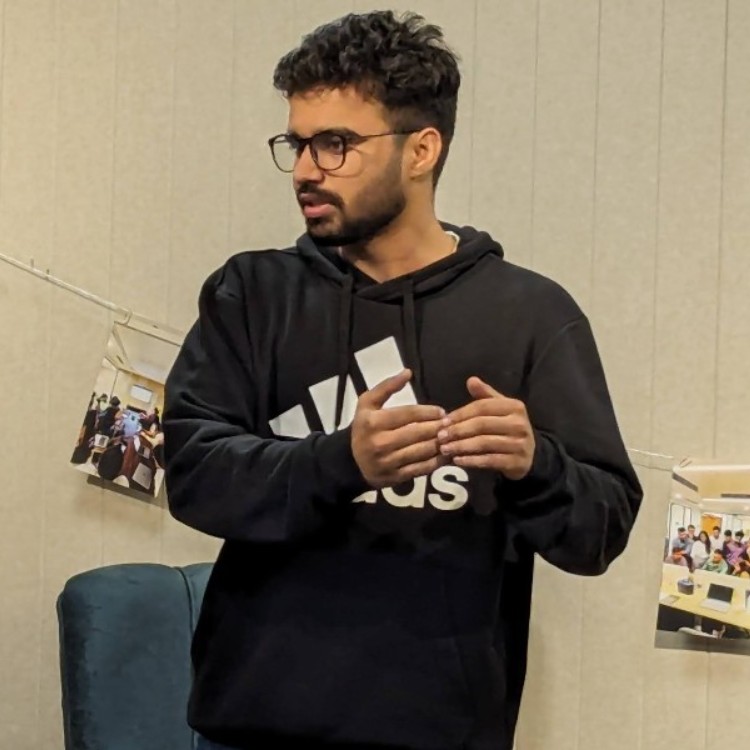
Harshit Chaudhary
Senior Software Engineer at BrowserStack, building AI accessibility agents covering 40+ WCAG criteria across web, mobile, and design, and owning their reliability: evals, rollouts, Kafka, Kubernetes. Building AI accessibility agents at BrowserStack.